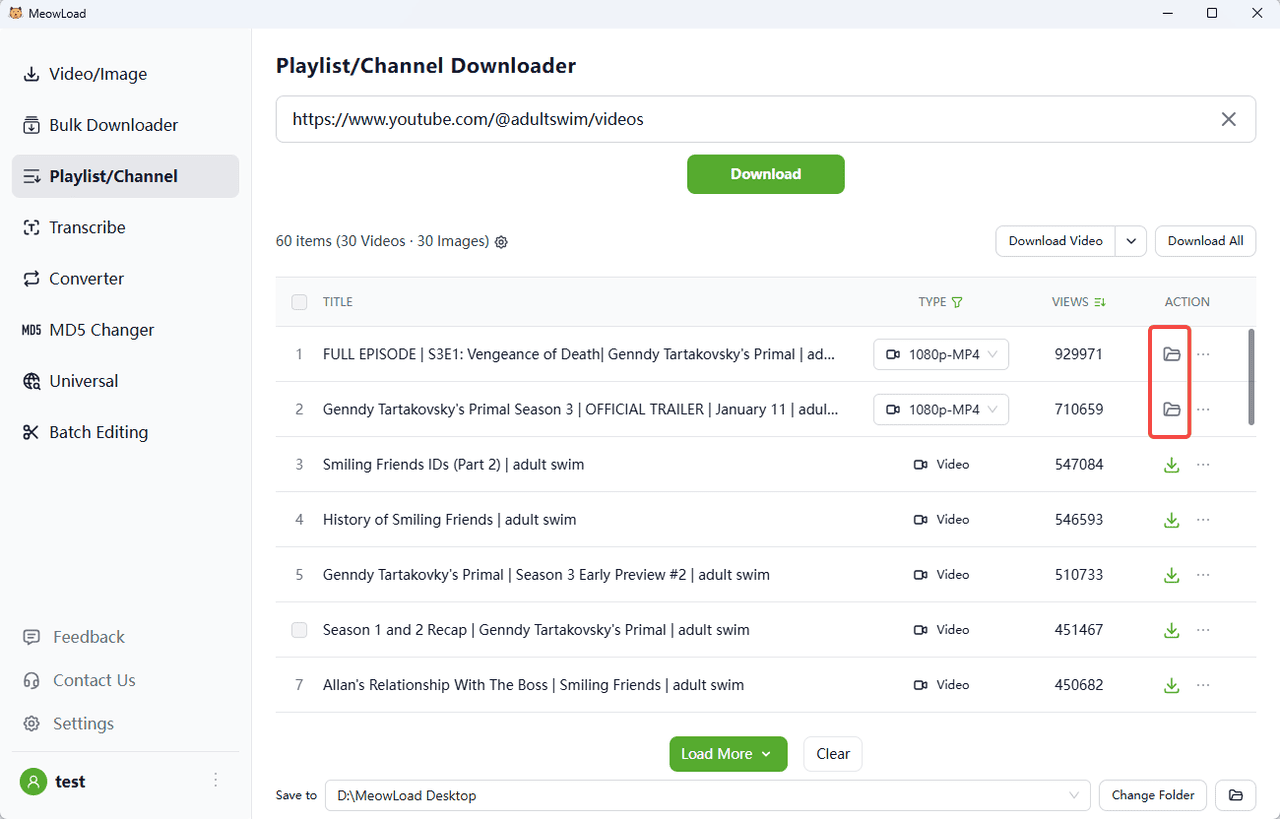
YouTube channels often contain hundreds or thousands of videos covering diverse topics from creators around the world. Downloading an entire channel manually can be time-consuming and cumbersome. MeowLoad simplifies this process by allowing you to download full YouTube channels with just a few clicks, preserving original video quality.
MeowLoad supports Windows, macOS, offering users flexible options to select video formats, quality settings, subtitle languages, and more. It also supports downloading age-restricted and private YouTube videos you have access to. Follow the steps below to download any YouTube channel in one go.
1. Download and install the app
Get MeowLoad and install it on your Windows, macOS computer.
2. Launch the app
Double-click the MeowLoad icon to open the app.
3. Copy the channel link
Go to YouTube, find the channel you want to download, and copy its URL from the browser’s address bar.
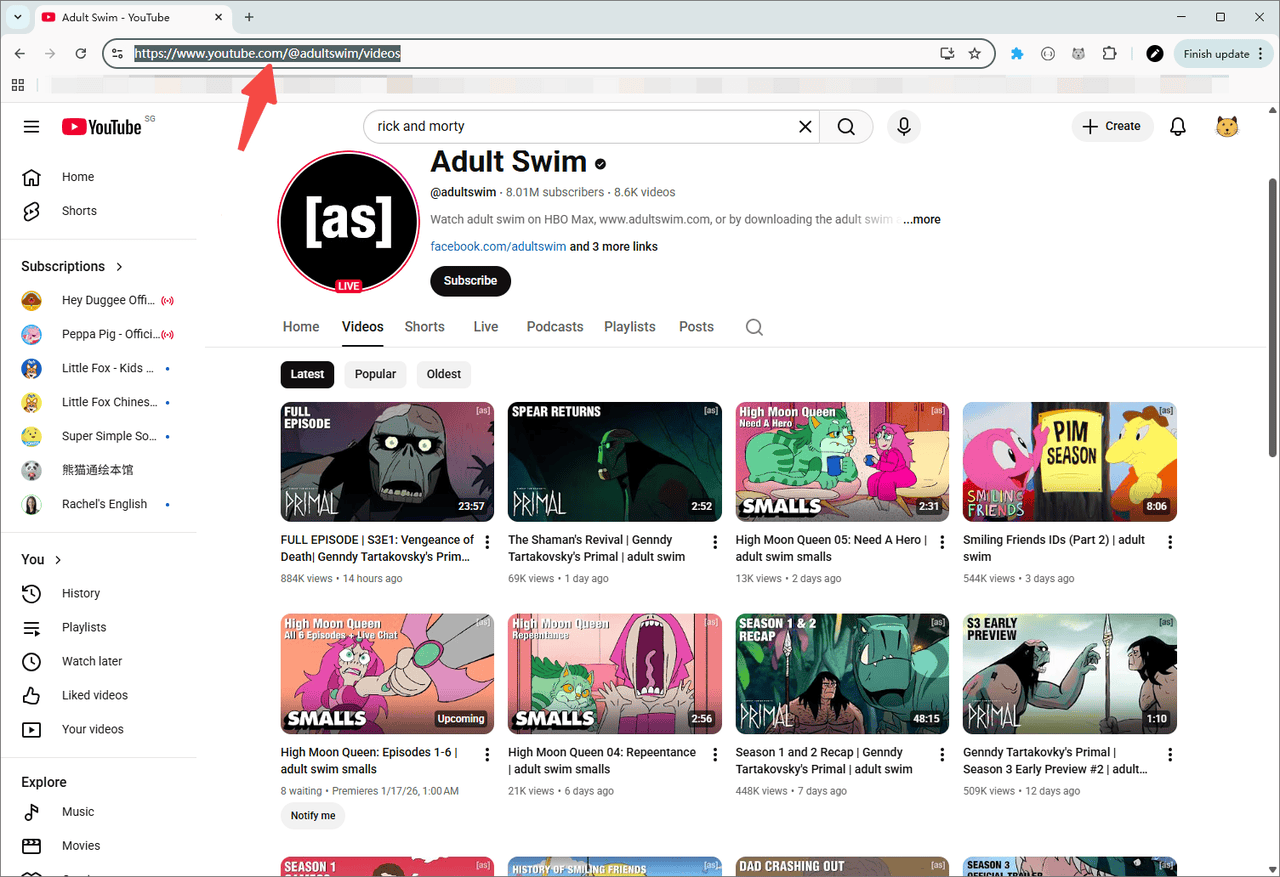
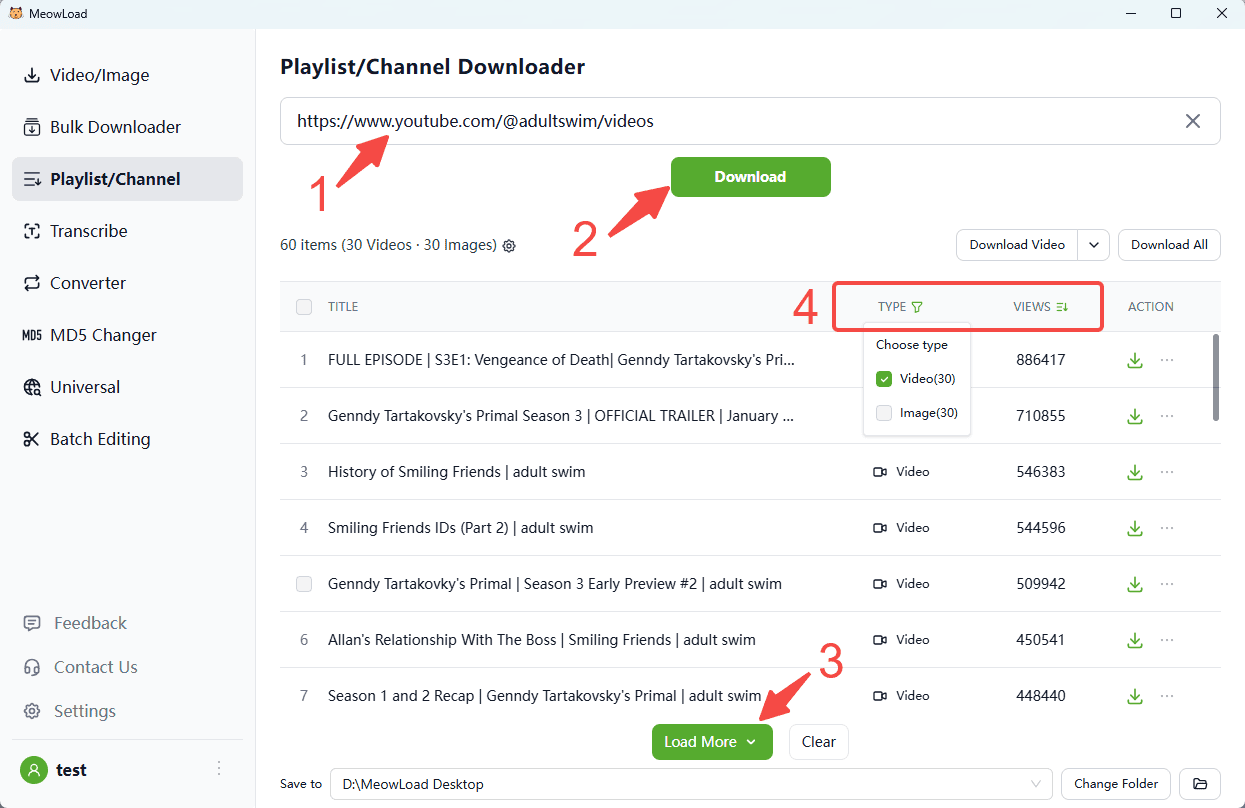
4. Paste and parse the link
Paste the channel link and click the Download button. You can preview downloadable resources.
5. Load more and filter
Click Load More to fetch additional content. You can also sort files by views / likes and use filters to select the type you want.
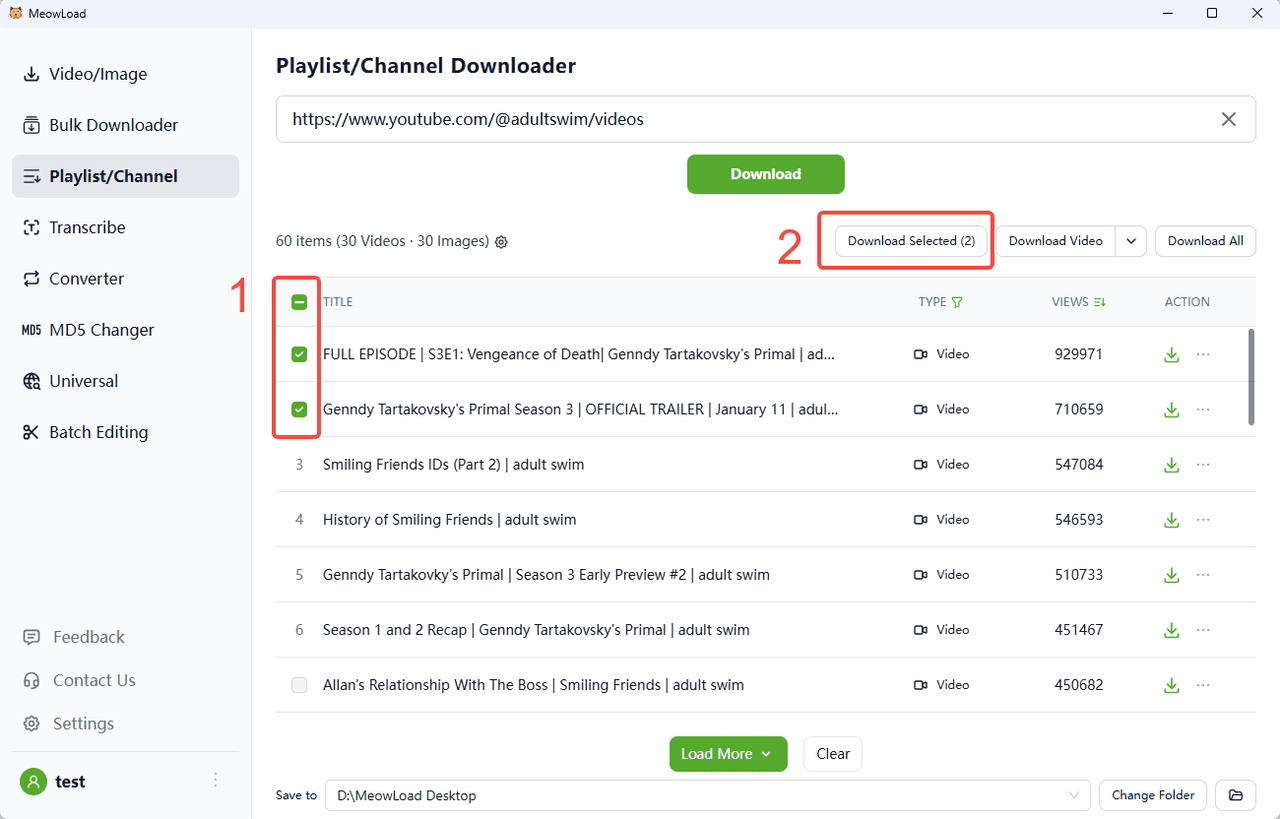
6. Select and download
Select all or check the items you need. Click Download Selected button.
7. All set!
Once the download is complete, click the folder icon to check out your files.